
The NaNo 2.0 tracker - FAQ
Your one-stop resource for help with frequent tracker-based questions. Have a general NaNo 2.0 question? Check our to learn more about NaNo 2.0.
Have a question not answered here? Contact us to get an answer from our team of volunteers
I can’t log in to my account!
Login issues are tricky!
Check your spam and trash folders for messages from [email protected]. The message should have a subject line that reads Welcome back to NaNo 2.0."
oAuth users can check their linked services to confirm that NaNo 2.0 has been set up as a login method at the following locations.
- Google: https://myaccount.google.com/linkedapps
- Discord: Inside the Discord app, under Settings > Games & Apps > Connected Apps > Authorized Apps
- X: https://x.com/settings/connected_apps
I accidentally put in the wrong word count! How can I change it?
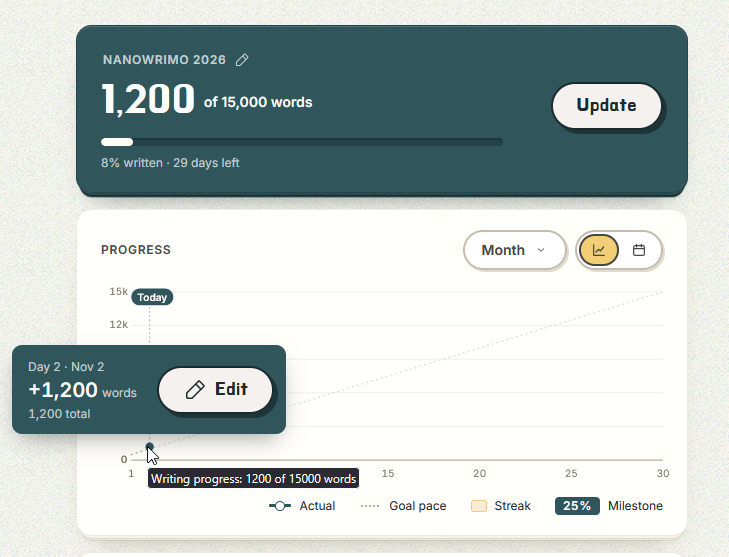
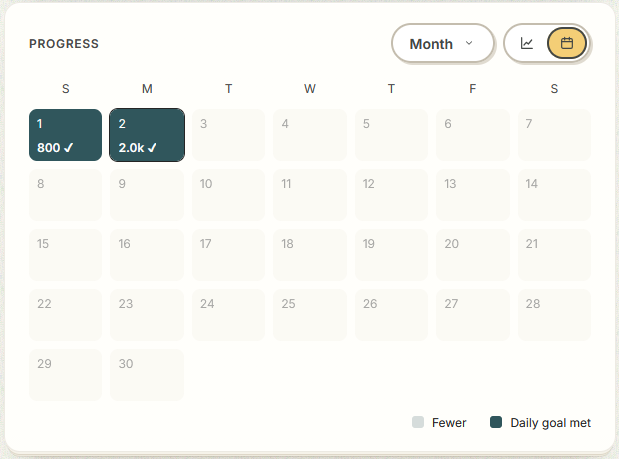
If there’s an error in your word count, you can edit the day’s word count from your graph, or your calendar view.
In the graph view of your tracker, hover or tap on the dot on any day to update your word count.
If you switch to calendar view, click or tap the day that needs editing.
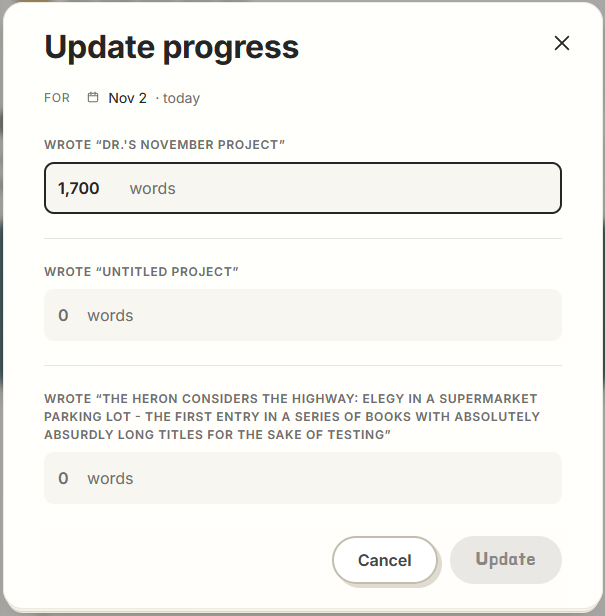
 When you open the day view, you’ll be able to enter how many words were added that day. Click “Update” to save the change.
In the graph view of your tracker, hover or tap on the dot on any day to update your word count.
If you switch to calendar view, click or tap the day that needs editing.
When you open the day view, you’ll be able to enter how many words were added that day. Click “Update” to save the change.Can I work on multiple projects?
Yep! Your word count for every project will be combined into your total goal word count for November. You can add a project at https://tracker.nano2.org/projects.
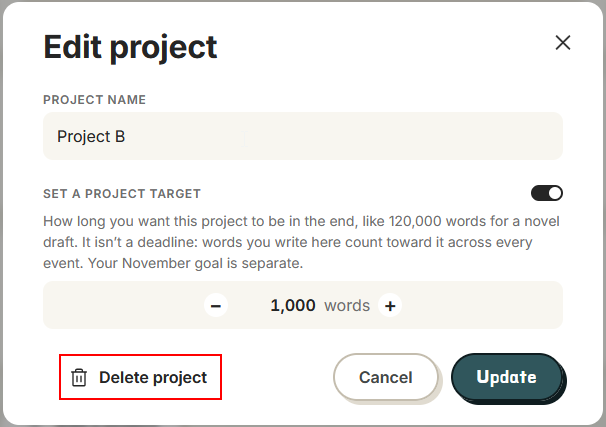
How do I delete a project?
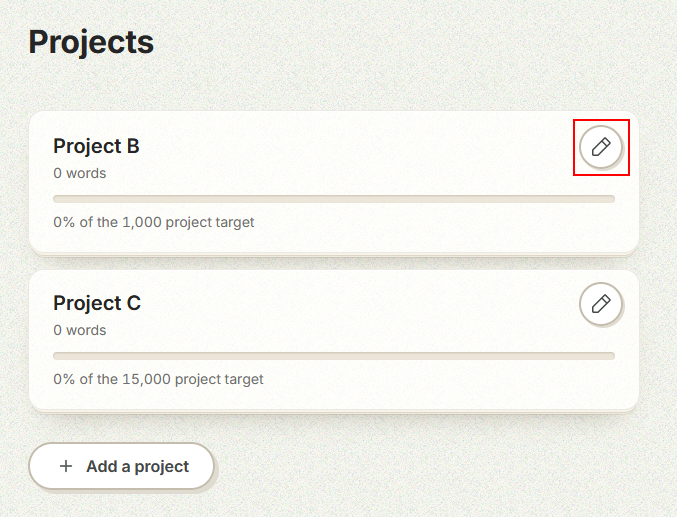
The project you created during onboarding is listed first on the projects page. This initial project cannot be deleted. However, any additional projects can be deleted when you click the pencil icon next to the project title. This opens the “Edit Project” modal.
How do I change the email address I used to make my account?
If you need to edit your email address after creating your account, reach out to the NaNo 2.0 team with your current email address, your username, and the new email address you’d like associated with the account. The team can make that change in the system.
How do I delete my account?
As of this writing there is not a self-service method to delete an account, but we can handle it administratively upon request. Please reach out via our contact form with your email address and username. Including both works best, as we cannot find users by email if they used oAuth to create the account. We will reply with confirmation that the account has been deleted as soon as it is done.
In the future we will be adding a self-service account delete function.
In the future we will be adding a self-service account delete function.