The NaNo 2.0 Tracker - Getting Started
The NaNo 2.0 tracker is brand new for 2026! We’re so excited to show you what we’ve been up to and see what you create in November, and this is just the beginning of us doing this together.
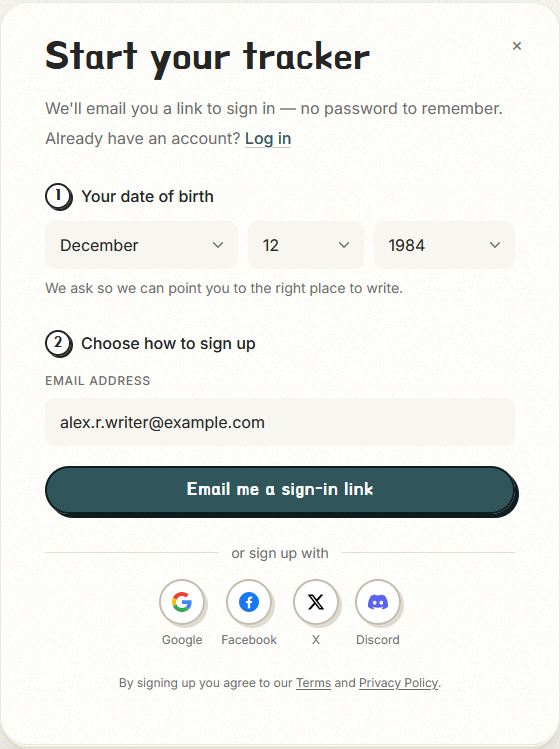
Before you jump in, there’s a piece of housekeeping up front: you must be at least create a NaNo 2.0 account and use the tracker. We recommend that our younger writers check out the resources for the Young Novelist Challenge.
Getting Started
Create Your Account
NaNo 2.0 uses either email or oAuth authentication from another account you own to create and manage your profile. If you choose email, you’ll access your NaNo 2.0 account via a link sent to your inbox every time you sign in. If you would rather use an existing account to access the Tracker, we support Google, Discord, or Twitter/X.
Add Your Details
The onboarding process kicks off the first time you sign in to the NaNo 2.0 tracker. Every setting during onboarding can be changed later, so don’t feel boxed into any of the choices you make now. We all know a lot can change in those prep weeks of October. Once you’re onboarded, you’ll go directly to your tracker every time you sign in. Here’s what to expect:
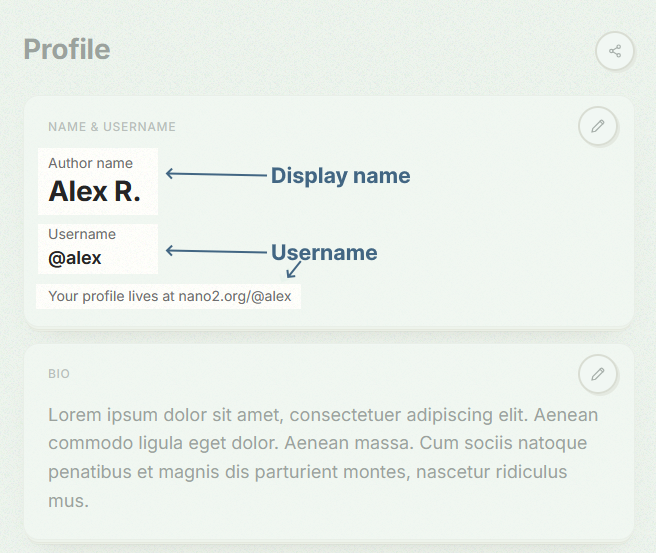
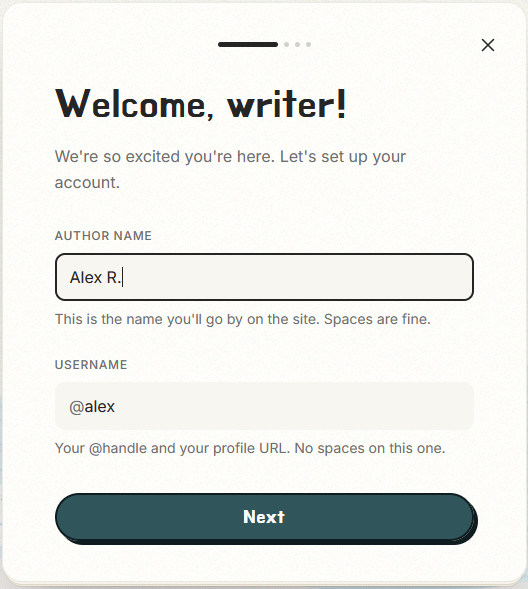
Step One: Create a display name and a unique username. What’s the difference?
What's the difference between my display name and my username?
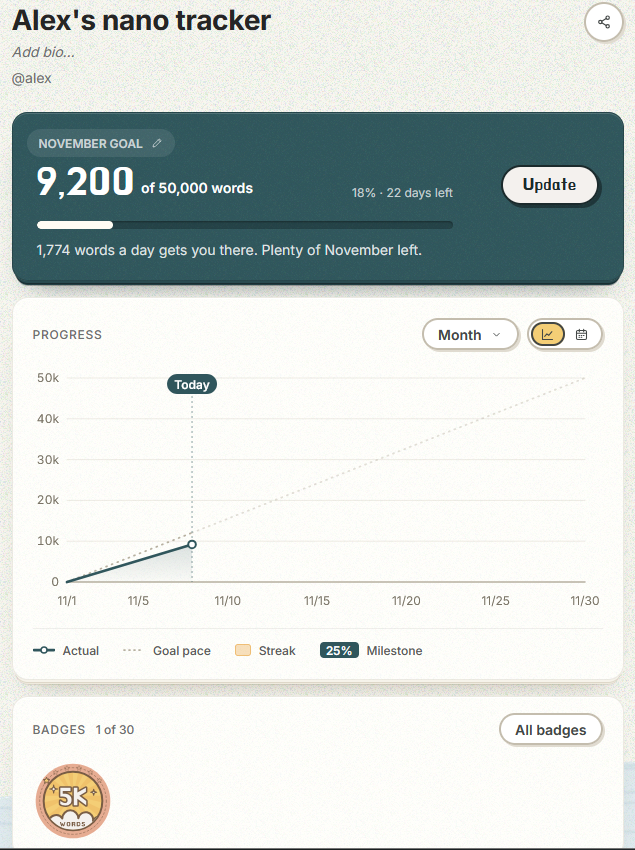
The display name is the way your name appears on your profile page, and the username is a short identifier in your profile URL. The two are highlighted in the screenshots below, showing the tracker page and the profile page.
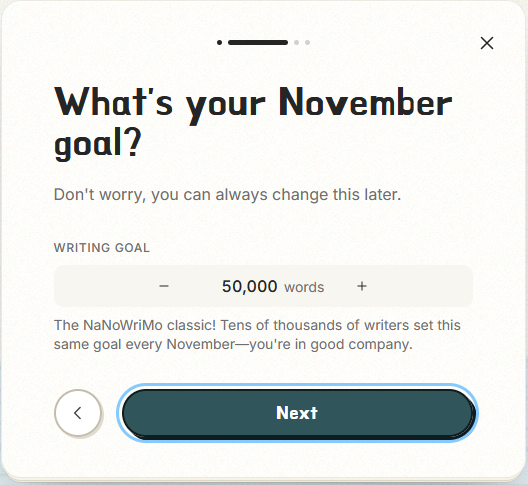
Step Two: Set a word count goal for November. 50,000 is the default but there's no limit to the goals you set for yourself. Click the goal number to change it, or use the plus/minus buttons to set a higher or lower goal. What if I'm editing a prior project? What if I want to change my goal later?
What if I'm editing a prior project?
The tech team is hard at work on supporting writers at every stage of the process, but the ability to set goals with a metric other than word count won't be ready for November 2026\. Keep an eye out, though!
What if I want to change my writing goal later?
Your writing goals are completely your own, and you're not locked in to the goal you set during onboarding. We're jumping ahead a bit, but you'll update your goal from your main tracker page. In the upper left corner, click the event name to edit your word count goal and/or your project name.


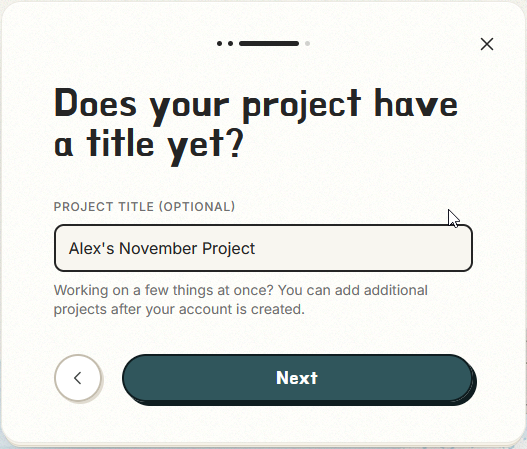
Step Three: Give your project a title if you already have one – or leave the default title if you're still thinking about this one.
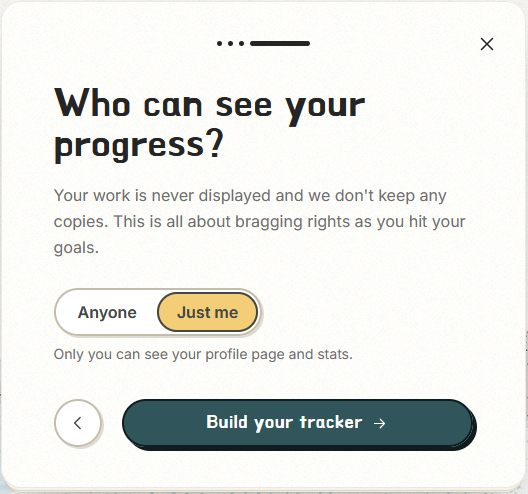
Step Four: Tell us who should be able to see your profile: "Anyone" or "Just You." "Just me" is a private profile, and is the default option when you create your NaNo 2.0 account. Setting your profile visibility to "Anyone" will make it public. You can change at any time in your profile. Which should you choose?
Should I set up a public profile or a private profile?
It depends on how you want to use the tracker! By default, the profile is set to private during the onboarding process. Here's what to expect from each option:
- Choosing “Just Me” means you are the only person who can see your profile. It won’t be searchable on the site or in search engines. You won’t be able to share your profile link with others.
- Choosing “Anyone” allows you to share your profile link with anyone, even folks who don’t use the NaNo 2.0 tracker, and will allow others to find you in searches.
Your tracker will build based on your settings, and then… we wait!
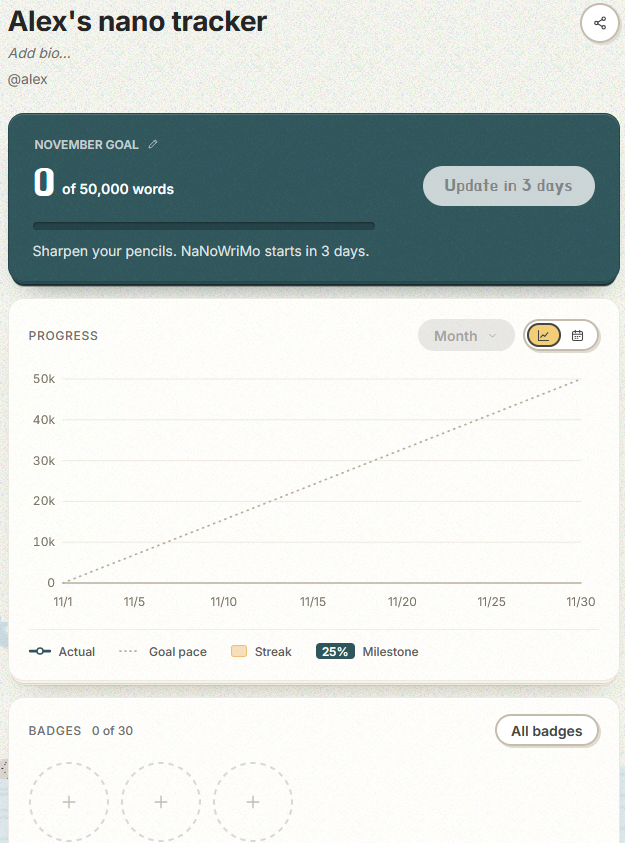
Updating Your Project
When November is finally upon us, you’ll see the “Update” button for your project live and ready to roll.
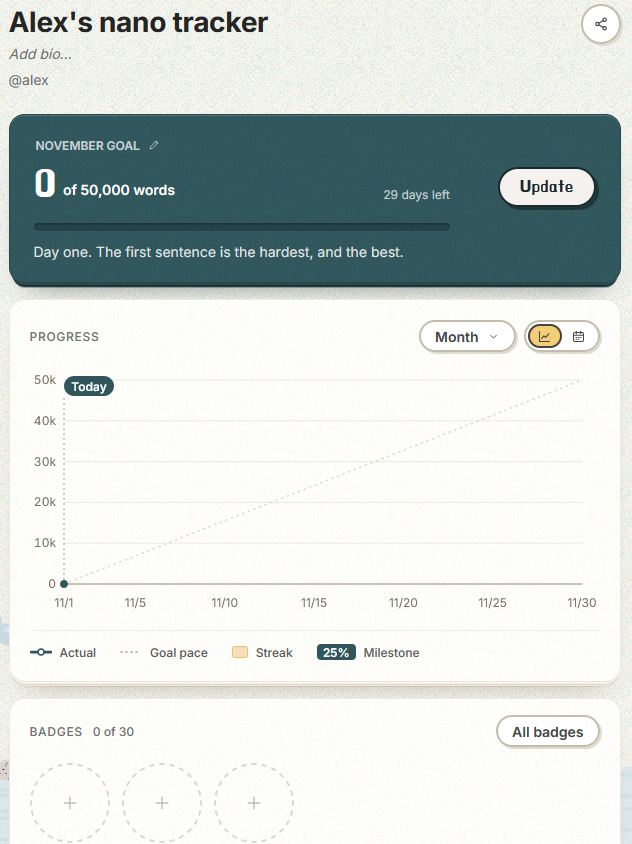
You have a few choices for how to track the progress toward your November goal:
Enter how many new words you added to your project.

Enter your project’s new total word count.

Paste your writing into the browser and let the tracker do the counting for you. This is an optional step, and anything you paste here is completely private–we do not upload or save any words validated via the tracker. Please do not write directly into the tracker.
After clicking “Update” on your new words, your tracker graph refreshed to show your new data. Repeat until you’ve met your goal.
Finishing Your Project
You can win by meeting your goal at any time during November, but after a week or so you’ll be able to use the magical NaNo 2.0 validator to confirm your work count and make the win official! The validator hasn’t launched yet, but we’ll let everyone know once it does.
You do not have to validate to claim your winner’s badge and certificate–you’re a winner whether you validate or not.